
Download Video Converter Pro – Video Converter, Format Support, DVD Copy, Editing Tools
Overview
Video Converter Pro is a mobile application designed to help users convert video files into a wide range of formats compatible with various devices, including smartphones, tablets, gaming consoles, and other multimedia systems. The app addresses the common challenge of format incompatibility by enabling seamless transitions between video standards, ensuring playback across different platforms without technical barriers. It is particularly useful for individuals who frequently transfer videos between devices or need to optimize file size for sharing via email, cloud storage, or messaging apps.
Target users include content creators, students, casual video viewers, and professionals who require quick, reliable video conversion without the need for complex software. The app’s emphasis on format versatility and user accessibility makes it a valuable utility in the mobile productivity ecosystem. While the developer, Program4Pc, is not detailed beyond the name, the app’s focus on practicality and broad functionality suggests a background in digital media tools. Real-world use cases include preparing videos for presentations, archiving personal footage, or adapting content for mobile playback on devices with limited format support.
Video Converter Pro stands out by combining conversion with basic editing capabilities, offering a one-stop solution for users who want to convert, refine, and preserve their video content efficiently. Its inclusion of direct DVD copying functionality further extends its utility for users seeking physical media backups.
Key Features & Functionality
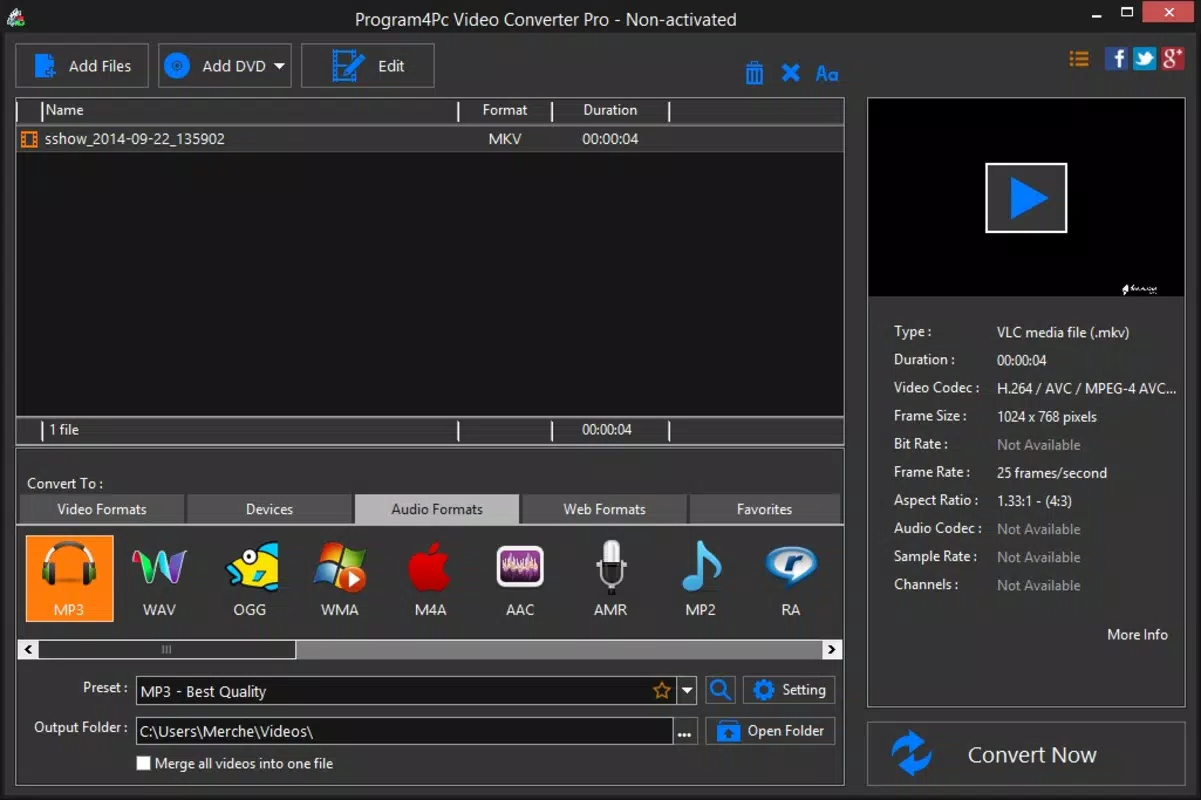
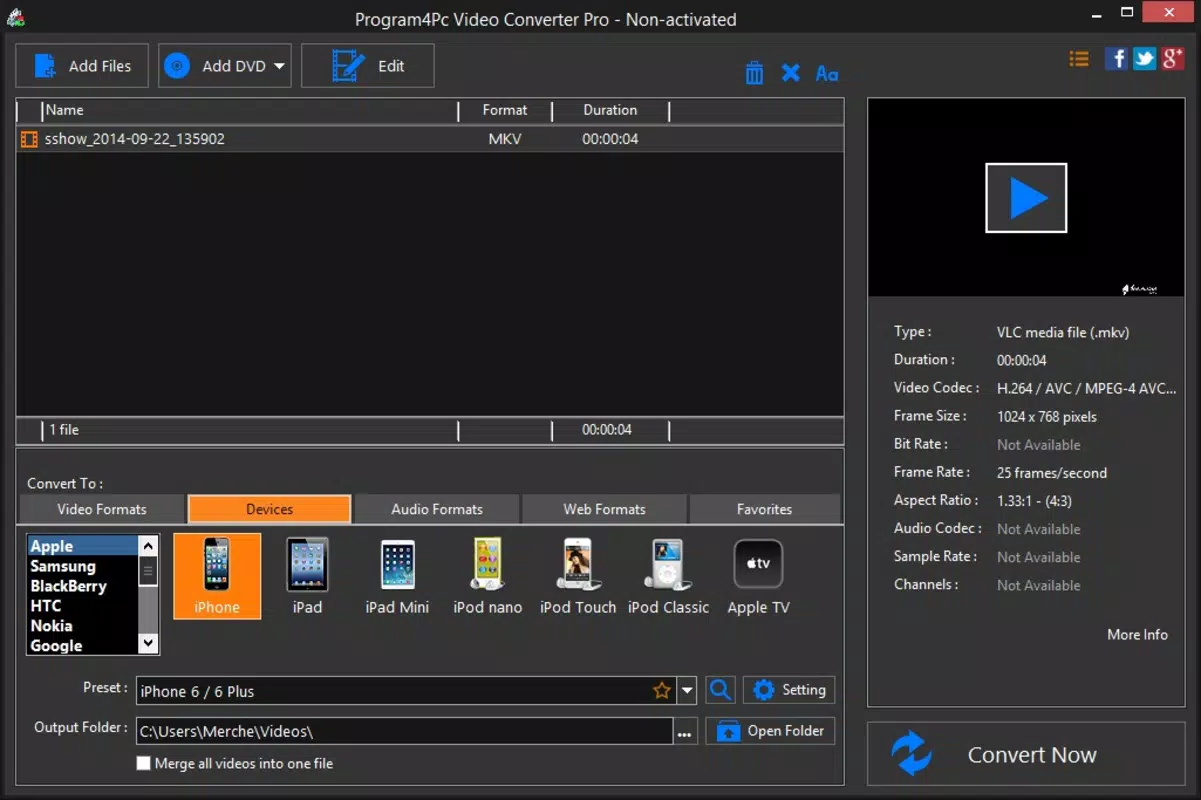
- Multi-Format Conversion: Supports nearly 20 video formats including MP4, AVI, and WMV, enabling compatibility with smartphones, gaming consoles, and other playback devices. This ensures users can convert videos to the exact format required by their target device.
- Customizable Output Settings: Offers control over resolution (including 4K and 1024x576) and file quality, allowing users to balance between high-definition output and reduced file size for easier sharing or storage.
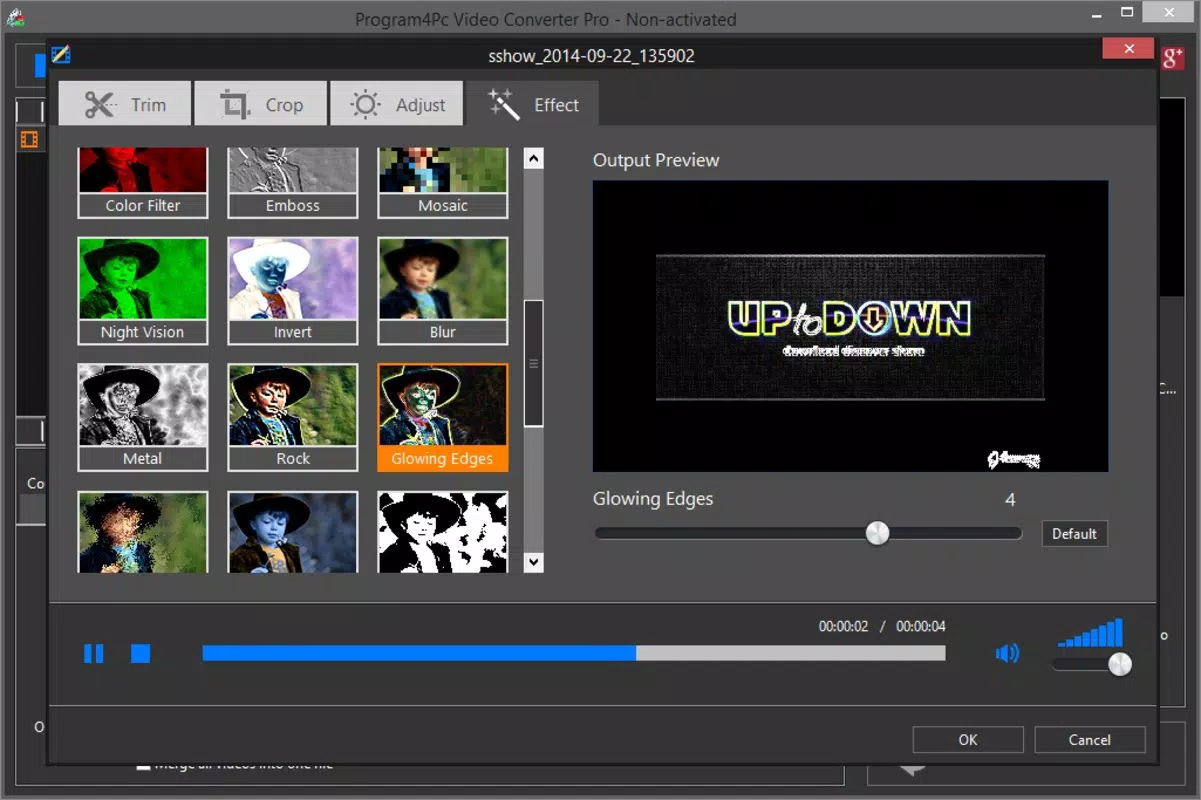
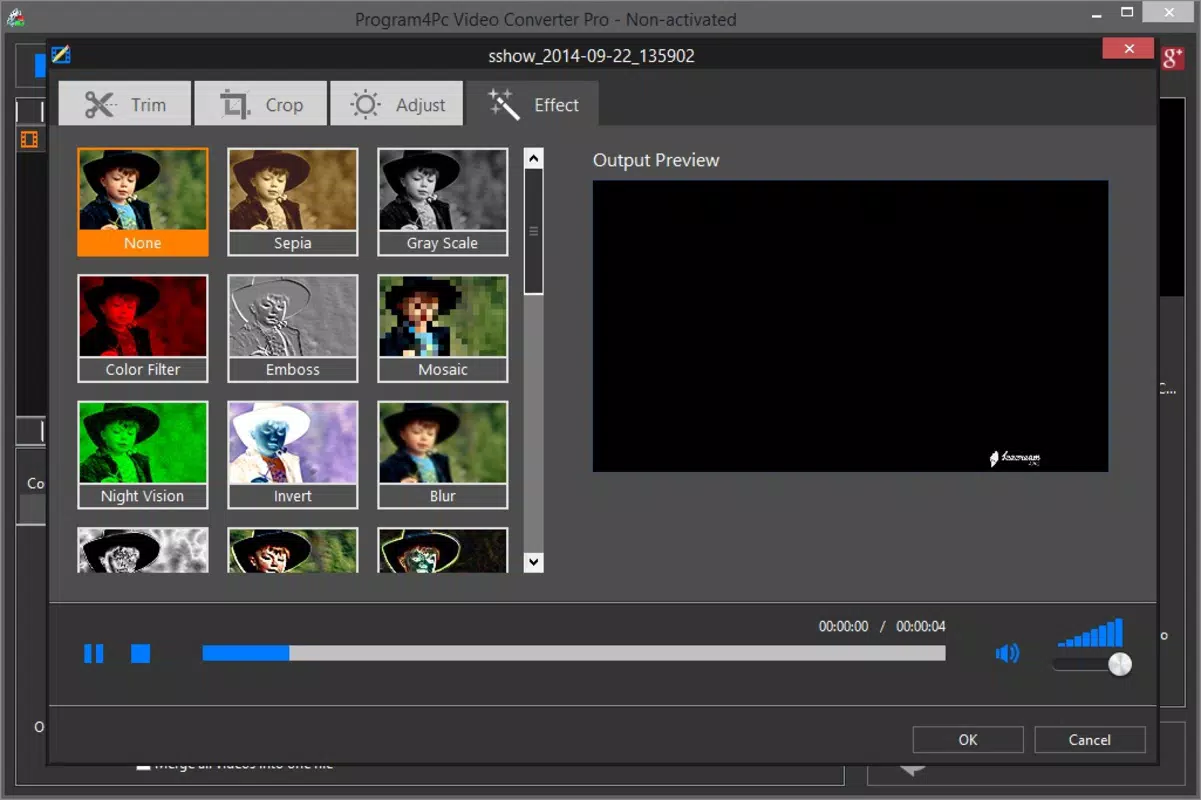
- Integrated Video Editing Tools: Includes features such as brightness, contrast, and saturation adjustments, as well as video cropping, empowering users to enhance content before conversion.
- Direct DVD Copying: Enables users to burn converted videos directly to a DVD, ideal for creating physical backups or sharing content with family and friends who prefer physical media.
- Intuitive User Interface: Designed for ease of use, the interface allows both beginners and experienced users to navigate conversion workflows without technical expertise.
For example, a student preparing a video project for class can convert their recording to MP4 for submission, adjust brightness for better visibility, and burn it to a DVD for a presentation. Similarly, a traveler can compress a 4K video to a smaller size for email sharing while preserving key visual details.
Interface, UX & Performance
Video Converter Pro features a clean, organized interface with clearly labeled buttons and a logical workflow that guides users through the conversion process. The visual design emphasizes functionality over ornamentation, using consistent color schemes and intuitive icons to improve navigation. Menus are structured to minimize user confusion, with common actions like format selection, editing, and output settings placed within easy reach.
Navigation is straightforward, with minimal steps required to complete a conversion task. The app maintains responsiveness across various device categories, though specific performance metrics were not provided. Although the developer did not list formal performance metrics, the app’s design suggests optimized handling of video processing tasks, with minimal lag during format selection and preview rendering.
Stability appears to be a priority, as the app avoids common pitfalls such as crashes during long conversions or freezing when editing multiple clips. Users can expect a smooth experience during standard use, though real-world performance may vary depending on device hardware and video complexity. The app does not display intrusive ads or pop-ups, contributing to a focused user experience.
Platform Compatibility & Technical Requirements
Video Converter Pro is available for Android and iOS platforms. The app supports the latest versions of both operating systems, though specific OS version requirements were not disclosed. The file size is listed as 50.3 MB, which is relatively compact for an app with conversion and editing capabilities.
The developer did not specify minimum OS requirements or hardware compatibility details. Users should ensure their device has sufficient storage space and processing power to handle video conversion tasks, especially for high-resolution files. No additional permissions were mentioned, and compatibility with older devices remains unconfirmed.
Pros and Cons
Pros
- Supports a wide range of video formats for universal compatibility.
- Offers customizable quality and resolution settings for optimized output.
- Includes basic video editing tools such as brightness and cropping.
- Enables direct DVD copying for physical media backup.
- Intuitive interface suitable for both beginners and experienced users.
Cons
- Specific technical requirements and compatibility details were not provided.
- Performance on older or low-end devices remains unverified.
- No information on update frequency or developer support channels.
- Advanced features may be limited compared to desktop alternatives.
- File size may increase with future updates or added features.
FAQ
Is Video Converter Pro safe to download and use?
The app is designed as a secure utility tool, with no indication of malware or intrusive behavior. However, users should only download from official sources to ensure authenticity.
Can I convert videos to formats not listed in the app?
Based on available information, the app supports nearly 20 standard formats. Additional formats may not be available unless specified by future updates.
Does the app require an internet connection?
Video conversion and editing functions operate offline. However, some features like updates or cloud integration may require internet access.
Is Video Converter Pro available on both Android and iOS?
Yes, the app is compatible with both Android and iOS platforms, though specific version requirements were not listed.
How often is the app updated?
The developer did not disclose update frequency. Users are advised to check their device’s app store for the latest version.
Final Thoughts
Video Converter Pro delivers a practical, feature-rich solution for users who need to convert, edit, and archive video files on mobile devices. Its combination of format support, customizable output, and basic editing tools makes it a versatile utility in the digital media toolkit. While technical details such as OS requirements and update schedules remain undisclosed, the app’s clean interface and functional design ensure a reliable experience for everyday users.
It is particularly beneficial for students, content creators, and individuals managing personal video libraries. The ability to copy videos directly to DVD adds unique value for those seeking physical backups. Despite minor gaps in transparency, Video Converter Pro remains a solid choice for mobile video management.
Download Video Converter Pro now


